Forgotten Route Card Gameplay Guide
//www.eveechoes.com/news/official/20260909/31611_1313457.html
1. What Is This Game You are a fleet commander.
2026-09-09
1. What Is This Game
You are a fleet commander. Collect and assemble your fleet, fight battles, and clear every stage.
The game has 10 stages (star systems) in total.
You have five Clone Vat Bays. Each battle defeat costs you one. Lose them all and the game is over.
Clear every stage without losing all your Clone Vat Bays, and you win the game.
You will earn “Memory Fragment” rewards based on your game state: the more Clone Vat Bays you have left upon completion, the more fragments you get.
Forgotten Route is an experimental game mode still in development. Expect bugs and room for improvement — we will keep iterating on it.
2. How to Enter
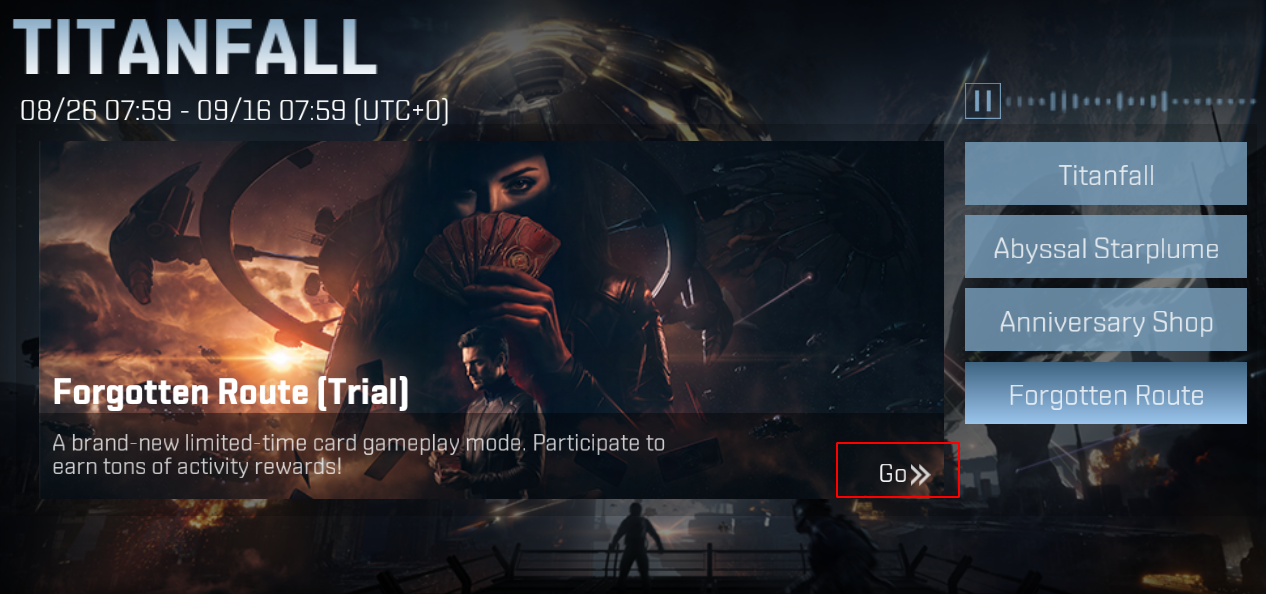
Event page:
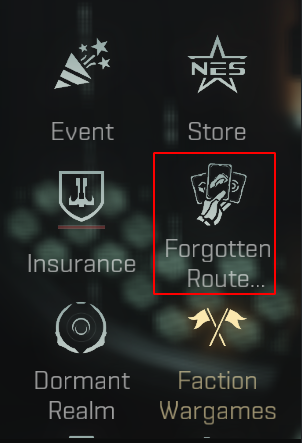
Space station:
3. How to Play
Interface Overview
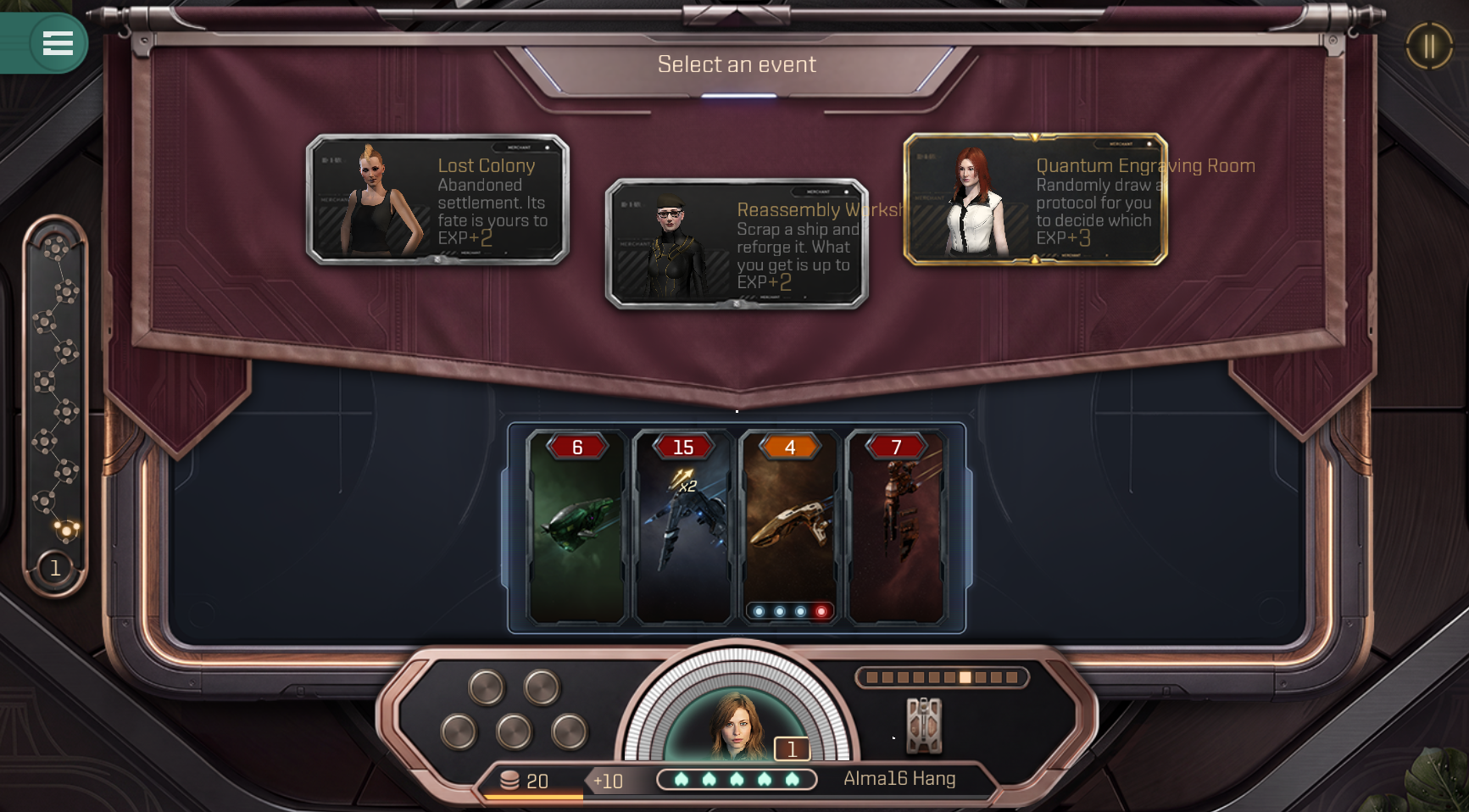
Action Panel: Used mainly to select events, shops, and special events.
Game Progress: Your progress is shown on the left. There are 10 stages (star systems) in total, and each dot is an event.
Active Fleet: The fleet cards you are currently using in battle. They take part in combat.
Skill Display: Your acquired skills are shown here. They enhance your combat power.
Economy Display: Shows your coins and income. You receive the displayed amount of income for each stage (star system).
Combat Health: Your in-battle health (Shield/Armor/Structure) — one of your combat stats.
Clone Vat Bays (lives): The number of battle defeats you can afford. Each defeat reduces the count by one.
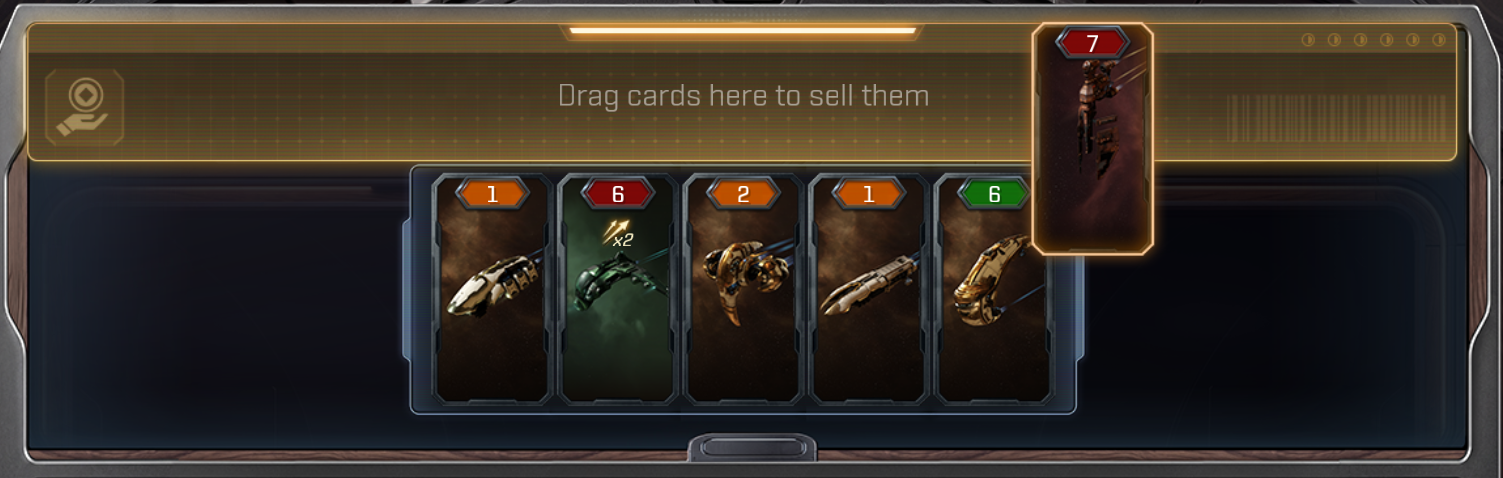
Fleet Storage: Holds up to 10 cards. Click the storage at any time to adjust your Active Fleet, swap ships between storage and the fleet, and reorder them. In the storage view, you can also drag a ship to the top slot to sell it.
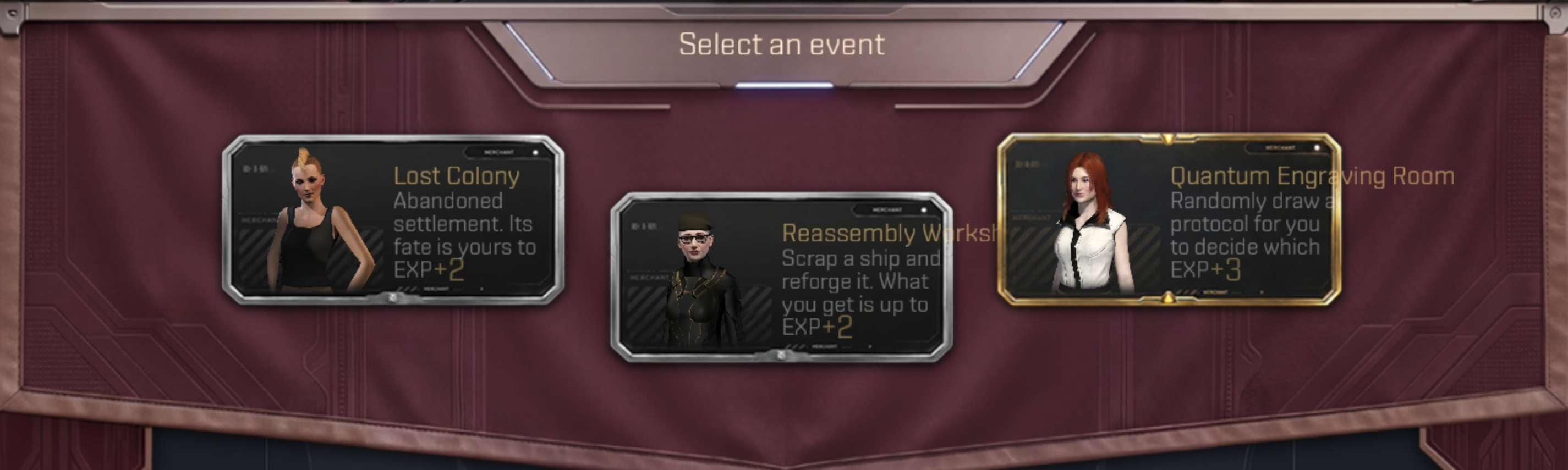
Event Selection
Click events on the Action Panel to choose your next move.
Buying & Selling Ships (Shop)
There are several event types that grant ships, and the Shop is the main one.
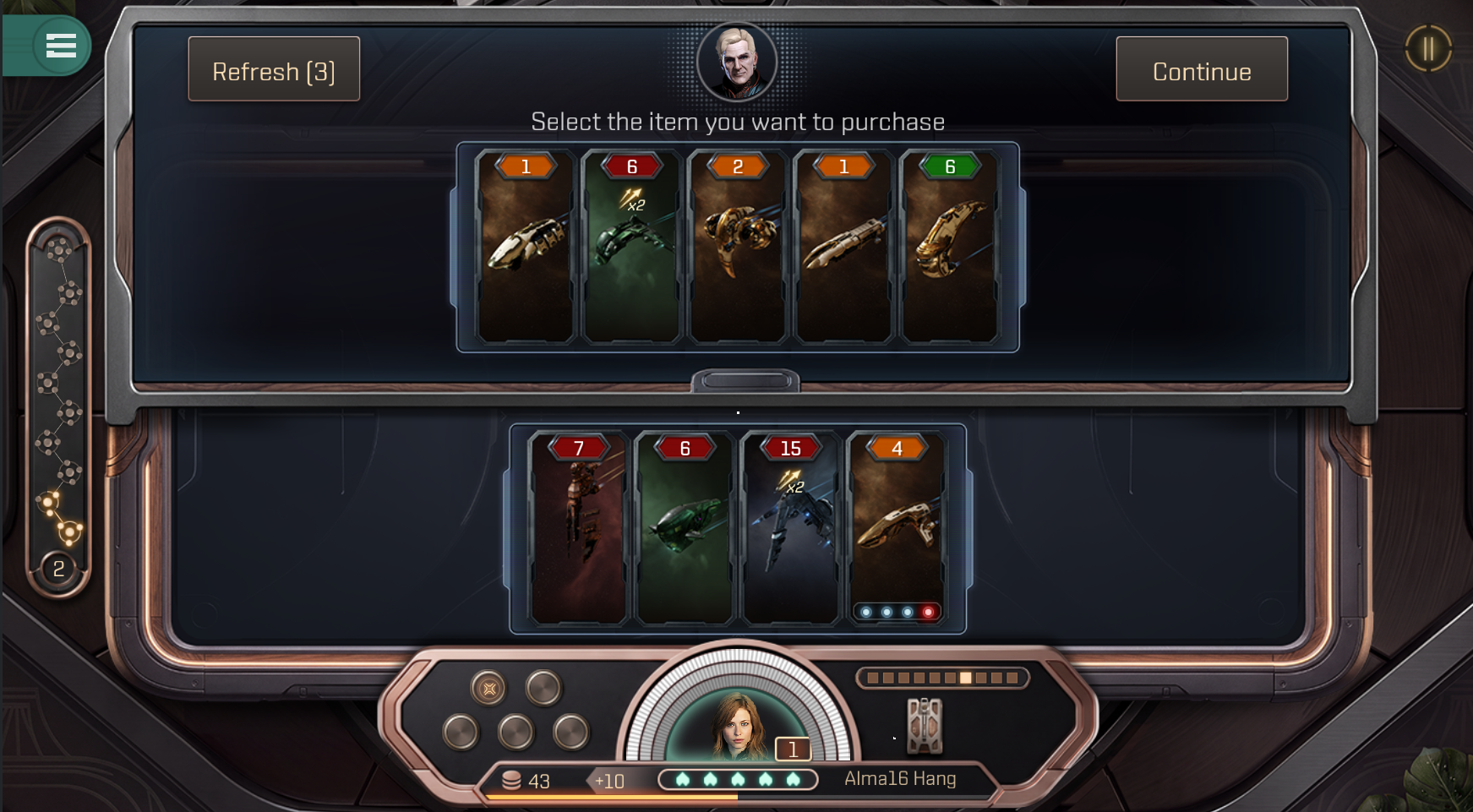
Drag a ship to your Active Fleet or Fleet Storage to complete the purchase; you can also sell ships in the shop view. Different shops have different buy and sell prices.
The refresh button is at the shop’s top-left corner. Refreshing costs coins and is limited in number, with each refresh getting more expensive. Refresh costs and limits vary between shops.
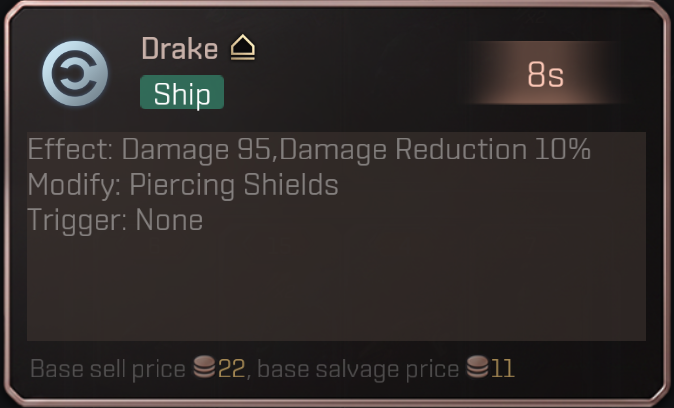
Click a card to check its price, both buy and sell. Normally, the sell price is half the buy price.
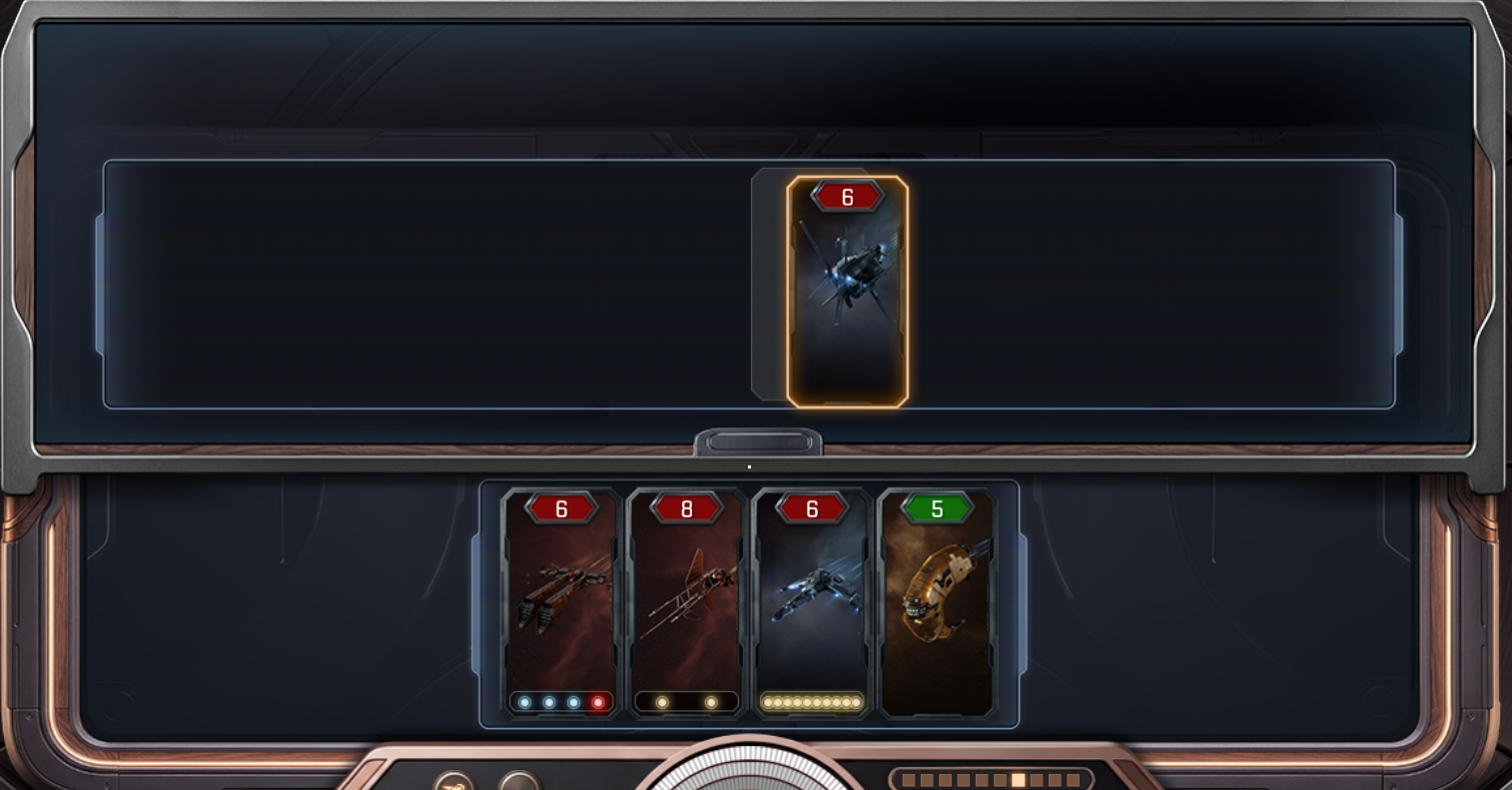
Building Your Fleet
You can adjust your fleet almost anytime — swap ships between storage and the Active Fleet, and reorder them. Different orders lead to different battle outcomes.
Battle
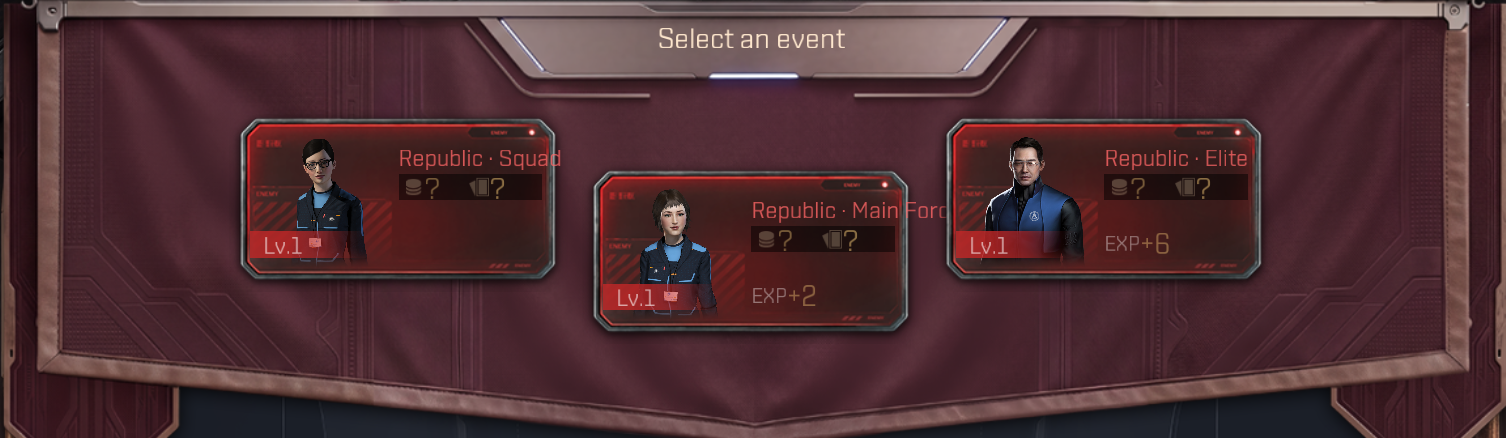
Battle events are shown in a distinct color. Usually you can pick a battle difficulty, and rewards differ by difficulty. Some stages offer only one battle event to choose from.
In battle, your cards fight automatically according to the effects in their descriptions. The side whose HP reaches zero first loses.
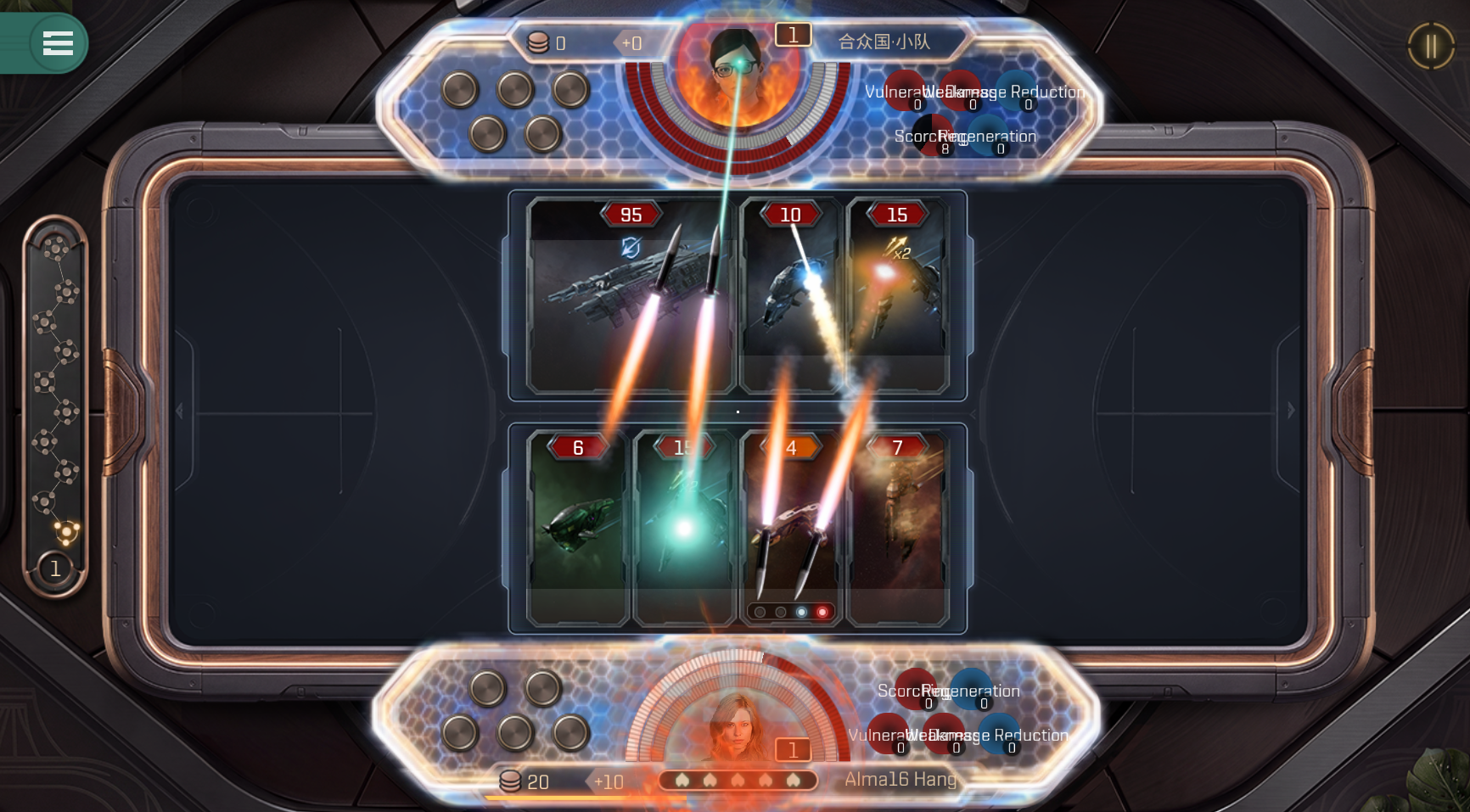
When a battle lasts 20 seconds, the storm countdown begins; at 30 seconds the storm hits, dealing massive damage.
After a battle you can watch the replay or move on to the next event.

Battles are fully automatic — no input needed. That is why adjusting ship order and composition is the most important strategy.
Now go assemble your fleet and dive into battle.
4. Some Game Concepts
Keyword Quick Reference
The keywords below appear on cards and skills. Understand them, and you will know exactly what each card does in battle.
Keyword
Description
Action
Every time a card’s cooldown finishes and it triggers an effect, that counts as one Action — whether it attacks, repairs, shields, or disrupts. Many cards’ effects are conditioned on “each Action”.
1. Basic Damage
⚔️ Attack
Fires one hit of basic damage at the enemy whenever its cooldown ends. Nearly every ship that can shoot has this, and it is the baseline that the damage keywords below amplify.
🔥 Scorching
Stacks flames on the enemy; each stack drains HP every second. Stacks only grow and never fade until the battle ends — the longer it burns, the more it hurts.
2. Damage Boost
💥 Critical
Every 4 attacks, the 4th deals double damage (×2). Each ship counts its own; counts are not shared.
🔋 Charge
Holds fire for the first 3 cooldowns, then the 4th hit deals 4× damage. Zero output early on, but a single hit can decide the battle.
🔴 Ammunition
Starts with a few live rounds. While ammo lasts, every shot deals double damage (×2); when it runs out, attacks fall back to normal with no extra penalty.
🌟 Multicast
Triggers the same action N times in one go. Per-hit damage is unchanged, but total output multiplies by N, and it stacks with Critical.
3. Debuff Pierce
⚡ Penetration
This attack skips one layer of the enemy’s defense entirely (e.g., ignoring shields to hit armor); that layer’s resistance does nothing.
💢 Weakness
Stacks Weakness on the enemy; each stack makes it take 1% more damage, and every damage source benefits from it.
🩸 Vulnerability
Stacks Vulnerability on the enemy; each stack makes it take extra flat damage every time it is hit. Weakness scales by percentage while Vulnerability is flat damage; both can stack together.
🔇 Hold Fire
Locks the enemy out of acting entirely for 1–2 seconds. Not a slowdown — a full shutdown, used to interrupt the enemy’s key burst.
🔻 Damage Reduction
Reduces the damage dealt to the target (e.g., −30%). It does not affect attack pace, only softens the incoming blows.
4. Tempo Control
⏬ Cooldown Reduction
Shortens the total cooldown of yourself or an ally (e.g., 5s → 3s), so every action comes faster.
💨 Haste
Keeps the total cooldown the same but makes the cooldown bar fill faster (2× speed by default), packing more actions into the same time.
⏫ Cooldown Increase
Extends the enemy’s total cooldown (e.g., 5s → 7s), suppressing its attack frequency for the whole battle.
🐌 Slow
Keeps the enemy’s total cooldown the same but makes its cooldown bar fill slower (0.5× speed by default).
5. Defense & Survival
💚 Repair
Restores HP, repairs armor, and clears debuffs for yourself or allies. Heals a fixed amount per use, targeting either an adjacent ship or the whole fleet.
🛡️ Regeneration
Regen HP per second; restores Structure, then Armor, then Shield.

Privacy Policy, Terms and Conditions
©2023 NetEase, Inc.All Rights Reserved
Contact Us: eveechoes@global.netease.com
Company Address: Unit 802,of 8th Floor of Chuang's Tower,
30-32 Connaught Road,Central,Hong Kong